-
-
Mosaic Aero is a flexible material engineered specifically for comfortable, cushioned orthotic insoles.
-
Standard printing temperature for Aero is 240°C at the nozzle.
-
The heated bed remains at room temperature (0°C) throughout the entire print.
-
The part cooling fan should run continuously at 100% to keep flexible walls crisp and prevent sagging on curves.
-
-
-
Ensure the printer belt is clean, dry, and cool to the touch before printing.
-
Wipe the printing area with isopropyl alcohol (rubbing alcohol) to remove any finger oils or dust.
-
Apply a thin, even coat of nanopolymer bed adhesive mixed 50/50 with rubbing alcohol using the application brush.
-
One coat of adhesive typically lasts for about 3 insole prints before needing a light touch-up.
-
-
-
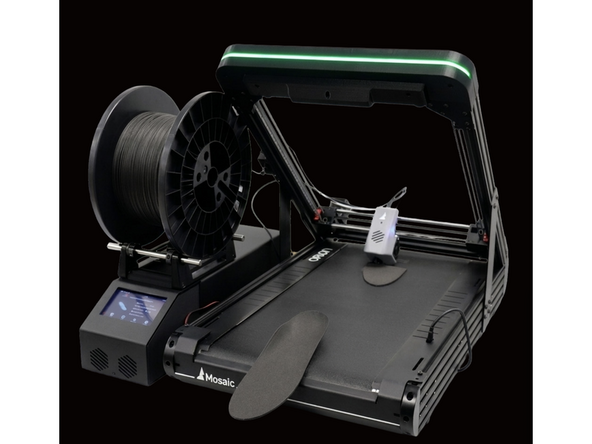
Mount the Aero filament spool onto the side spool holder so it feeds smoothly from the top.
-
Snip the leading tip of the filament at a clean 45° angle with snips.
-
Preheat the extruder nozzle to 240°C from the Temperature menu on the touchscreen.
-
Feed the filament through the guide tube until you feel it enter the extruder gears, then tap Extrude on the screen until a smooth strand flows.
-
-
-
Confirm that your models are aligned with our STL requirements
-
Open your insole file in Stryde Print and select the desired Aero material profile (Single-density soft shell or Multi-density soft shell)
-
After you've selected your models and project parameters, you're ready to slice. Stryde will automatically position the insole near the center-front of the belt, with the heel pointing toward the front origin.
-
Starting the print from the heel prevents rough surfaces on the heel cup.
-
-
-
Send the sliced file to Orion using Stryde Print or the Fluidd queue.
-
Watch the printer lay down the initial purge line and the first 3 layers.
-
Verify that the plastic squishes flat against the belt with no peeling or gaps.
-
If the plastic beads up round instead of flattening, adjust your Y-offset slightly closer to the belt via the Fluidd dashboard.
-
