-
-
Check that the teflon guide tube is securely attached to the fitting at the printhead.
-
Do not detach the Teflon tube from the printhead during filament loading.
-
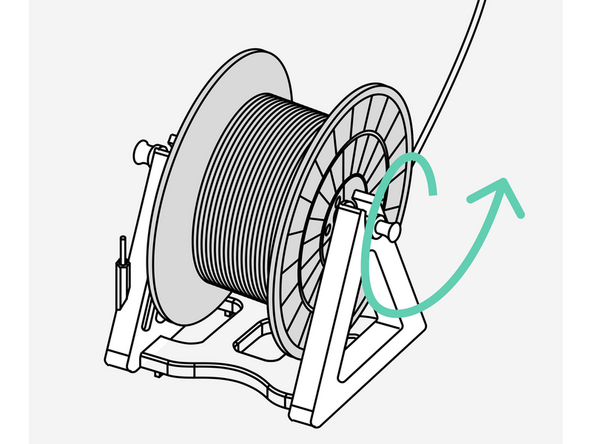
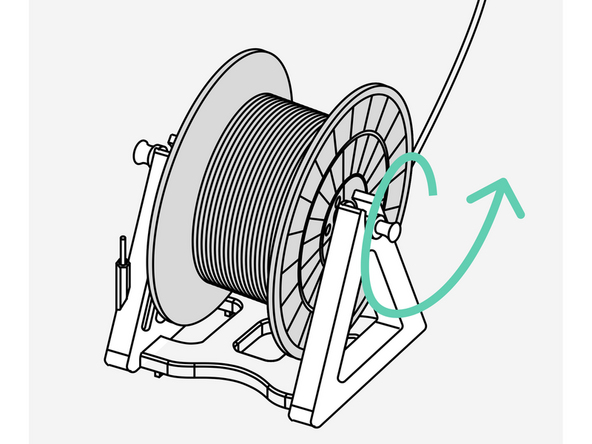
Mount the new filament spool onto the holder so the strand feeds smoothly from the bottom of the spool.
-
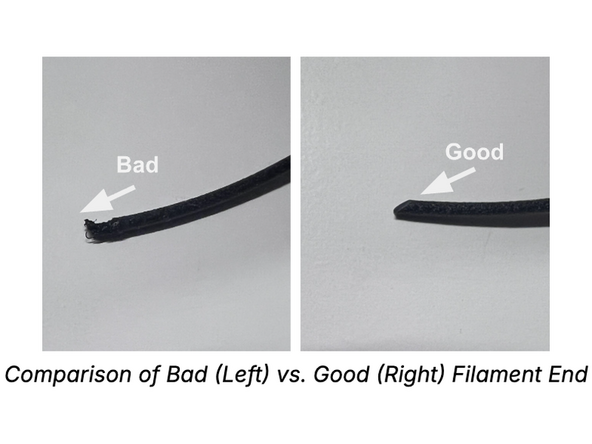
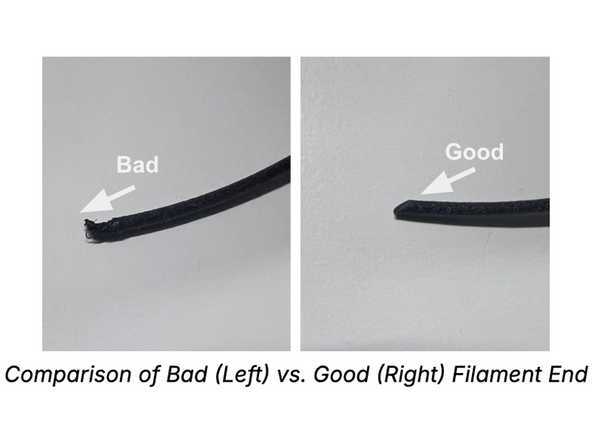
Inspect the leading end of the new filament and confirm it is cut cleanly at a 45° angle.
-
-
-
Insert the filament into the Teflon tube from the spool end and push until it reaches the printhead entrance.
-
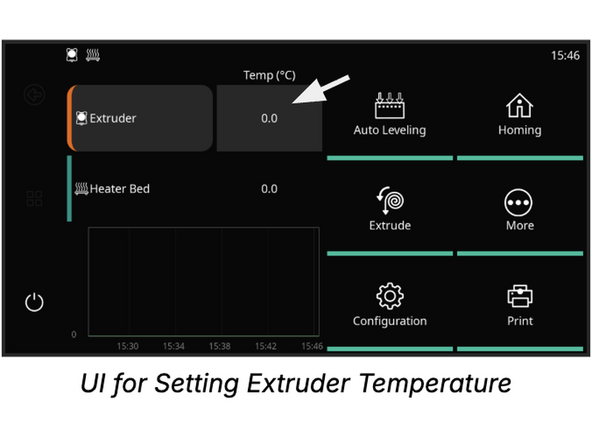
Navigate to the Temperature screen and set the Extruder target temperature to 220°C.
-
If necessary, manually translate the printhead away from the build plate to allow clearance for extrusion.
-
-
-
Navigate to the Extrude screen and set Distance to 15 mm and Speed to 2 mm/s.
-
Tap Extrude 3 to 4 times while holding the filament with light forward pressure until the drive gears engage.
-
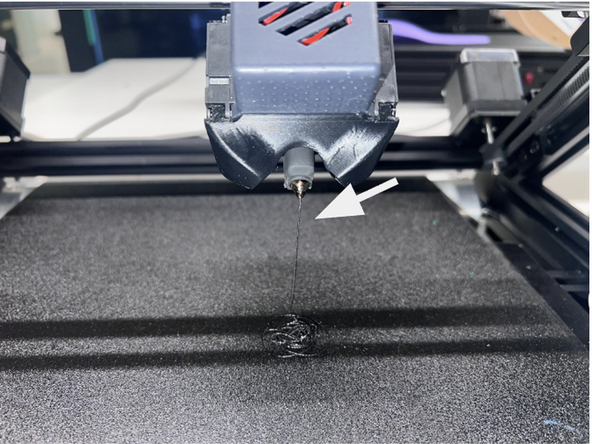
Extrude approximately 1 cm of filament to verify consistent material flow through the nozzle tip.
-
Clean the nozzle tip thoroughly using a wire brush.
-
Clear all residual extruded material from the build belt prior to starting the next print job.
-
-
-
Navigate to the Temperature settings screen on the UI.
-
Select the Extruder temperature row and input a target preheat temperature of 240°C for Aero, 270°C for Align.
-
Ensure there are no active print jobs queued or running before initiating nozzle heating.
-
-
-
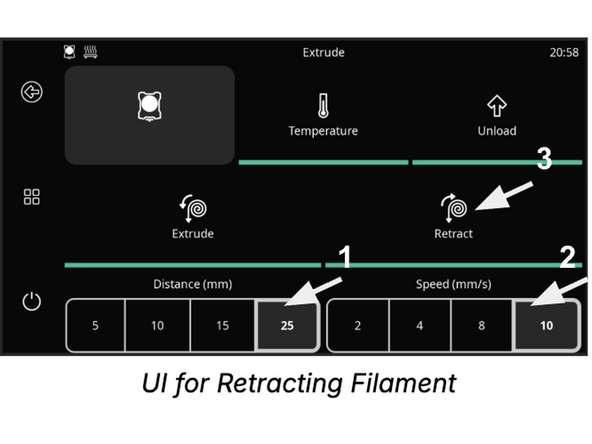
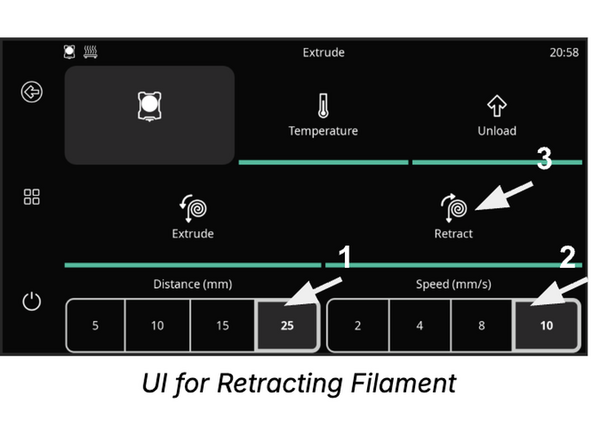
Navigate to the Extrude settings menu on the display.
-
Set Distance to 25 mm and Speed to 10 mm/s.
-
Tap Retract 3 to 4 times while applying gentle upward pulling pressure on the filament where it enters the path.
-
Pull the filament completely out of the Teflon guide tube starting from the spool end.
-
Exercise caution near the printhead entry point as the hotend assembly remains at high temperature.
-
-
-
Remove the spool from the spool holder and manually wind any loose filament back onto the spool.
-
Snip the melted tip of the filament at a 45° angle using diagonal snips.
-
Trimming at a 45° angle prevents resistance and nozzle jams during future loading operations.
-