-
-
Mosaic Aero filament allows you to vary cushion firmness across different zones of a single insole.
-
Lower infill percentages create soft, shock-absorbing cushion, while higher percentages create firm support.
-
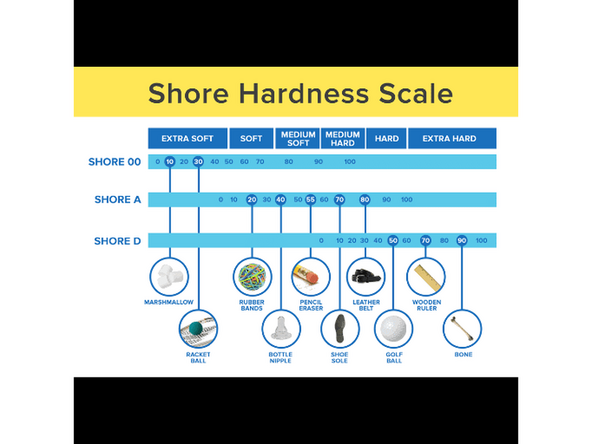
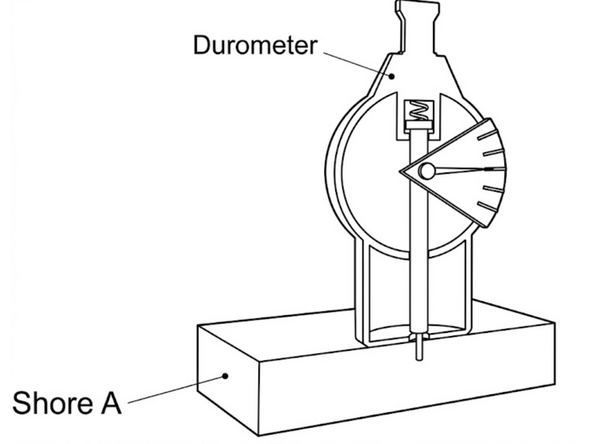
Firmness is measured on the Shore A durometer scale (lower numbers like 25A are softer; higher numbers like 70A are firmer).
-
-
-
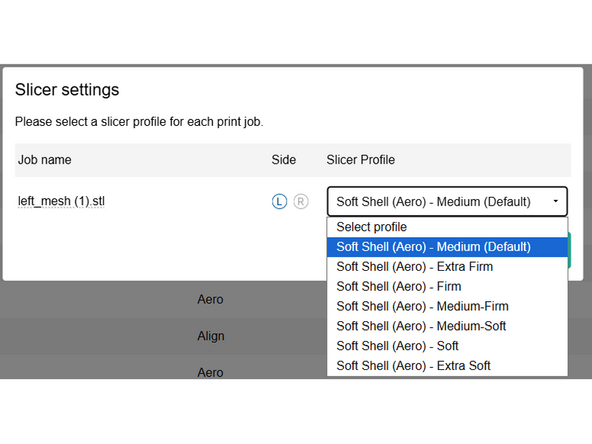
When uploading single density orthotics, a variety of shore hardness options are available. Shore Hardness to Profile mapping is approximate, and will vary based on individual part geometry, however a rough set of guidelines are included here:
-
[25A] Soft Shell (Aero) - Extra Soft
-
[35A] Soft Shell (Aero) - Soft
-
[40A] Soft Shell (Aero) - Medium-Soft
-
[45A] Soft Shell (Aero) - Medium (Default)
-
[50A] Soft Shell (Aero) - Medium-Firm
-
[55A] Soft Shell (Aero) - Firm
-
[65A] Soft Shell (Aero) - Extra Firm
-
-
-
Import your multi-density orthotic model into Stryde Print.
-
All models associated with a single orthotic should be imported together
-
-
-
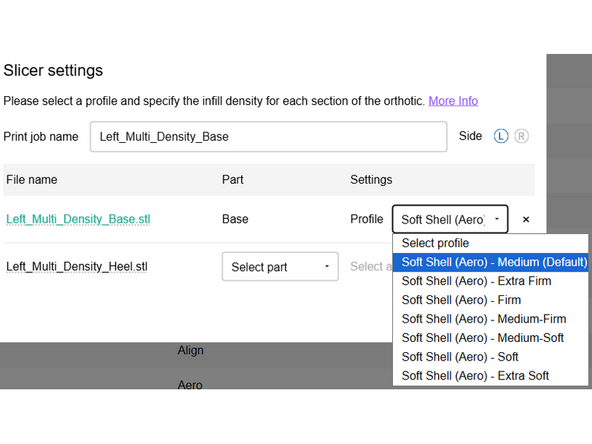
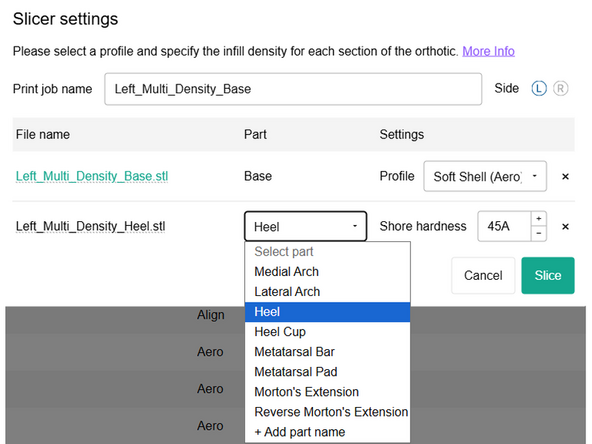
For Multi-Density Orthotics, shore hardness can directly be selected from the dropdown menu. Shore Hardness mapping is approximate, and will vary based on individual part geometry.
-
Select the Base profile based on the Step 2 preferences
-
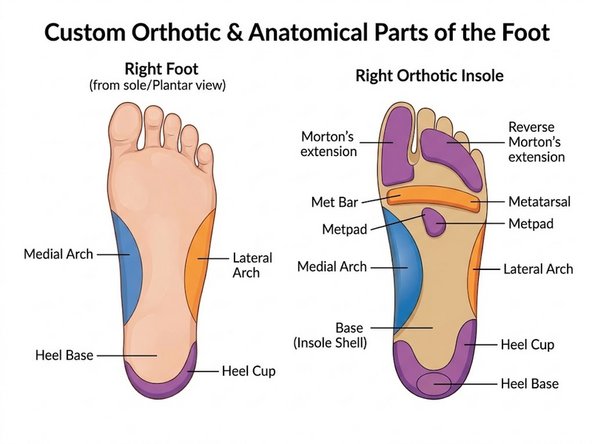
For each sub-part select the corresponding region, and that region's shore hardness
-
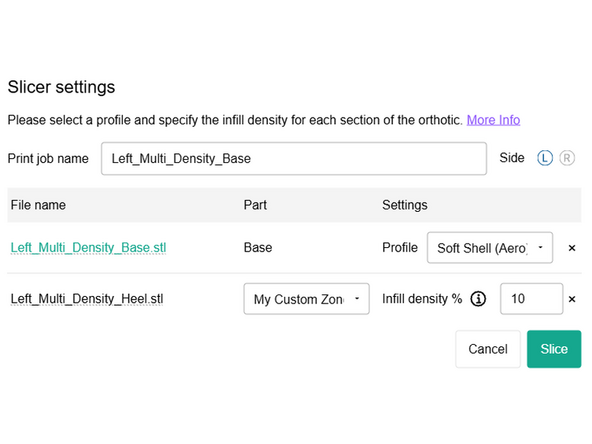
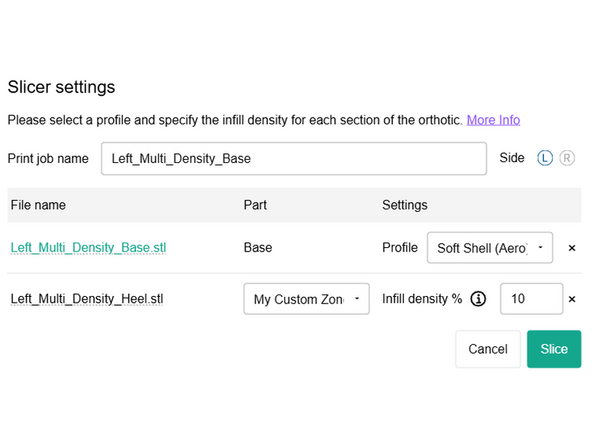
If your part region is not listed, you can define a custom zone, refer to the next section on zone shore hardness mapping
-
-
-
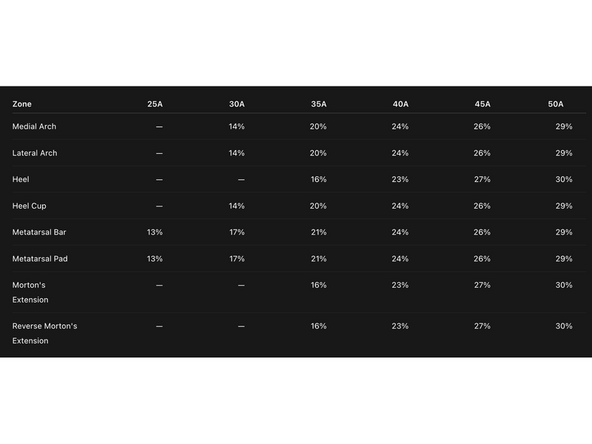
When using custom zones for orthotics Shore Hardness to Profile mapping is approximate, and will vary based on individual part geometry, however a rough set of guidelines are included here.
-
Refer to the table on the left to better understand how infill percentage relates to shore hardness. These values give guidelines for what infill percentage you may want to use depending on where your custom zone is located
-