-
-
Mosaic Align is a high-strength PA-12 nylon designed for rigid, functional foot support.
-
Align nylon absorbs moisture from room air rapidly. Always store spools in a dry box. Ideally, dry in a filament drying oven for 4 hours at 80°C before use.
-
Properly dried filament increases insole strength by over 20% and prevents porous, weak layers.
-
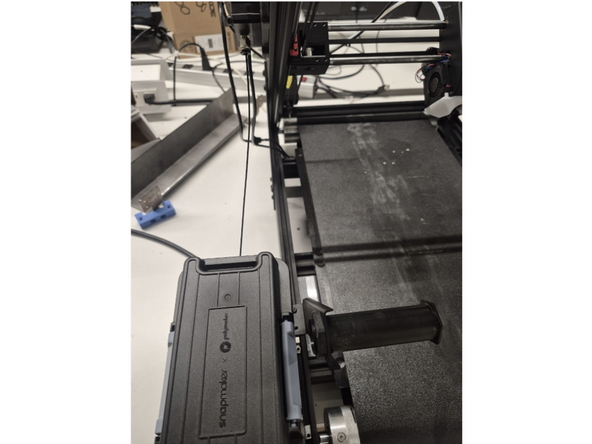
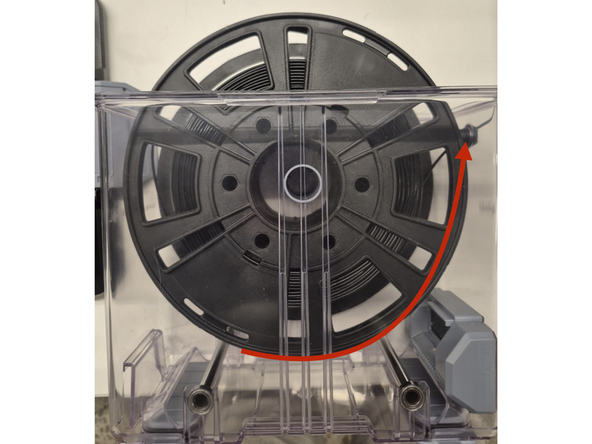
Feed the filament directly from your enclosed dry box into the printer's guide tube. Ensure the filament is feeding from the bottom of the spool, not over the top. Close the drybox lid.
-
Place the drybox in front of the area where filament is loaded into the teflon tube, at the same level as the printer.
-
-
-
Ensure the belt is completely cool before applying adhesive. Use nanopolymer adhesive supplied with Orion.
-
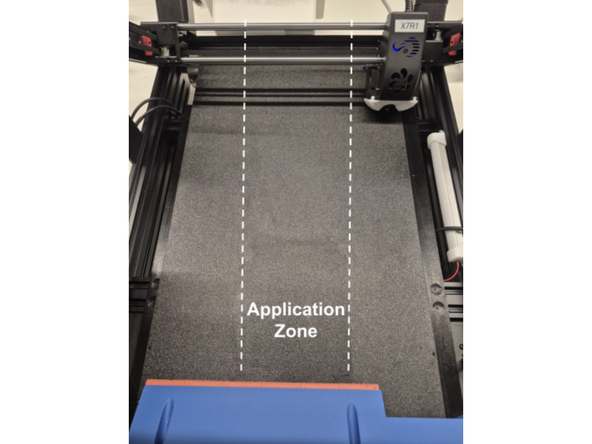
Use the brush to paint a thin, even coat across the central printing area on the bed, while cycling the belt. Place a couple of drop of adhesive on the bed at a time, and spread it around.
-
Set the bed temperature to 90°C on the touchscreen.
-
Allow the bed to reach 90°C and dry the adhesive coat for several minutes before starting your job.
-
-
-
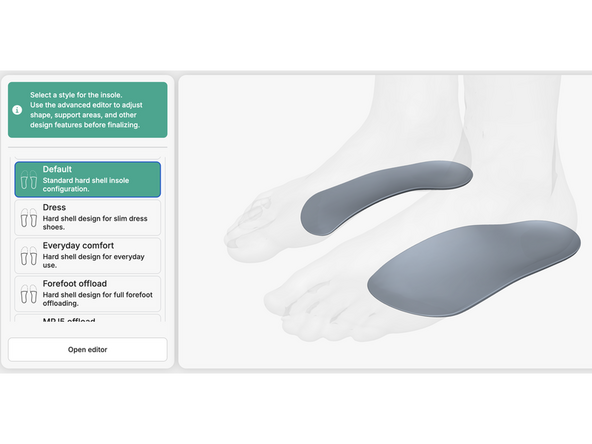
In Stryde Design, ensure you have selected a three-quarter length insole for printing with Align. 'Default' will be the standard choice for most Align prints.
-
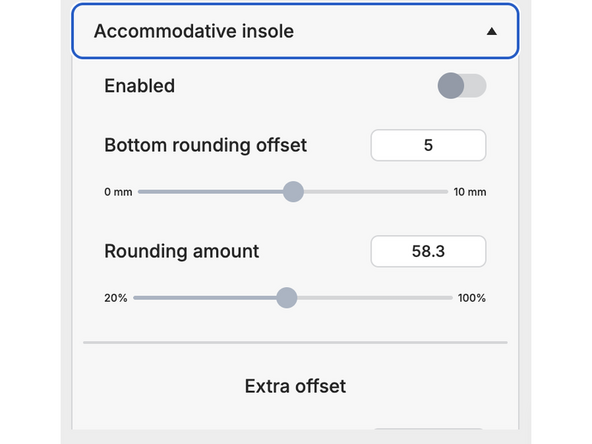
Under 'Accomodative insole' settings, the toggle 'Enabled' will be turned off. Keep this turned off for Align prints.
-
Once you have configured your settings, keep submit your order to Stryde Print.
-
-
-
From the touchscreen Temperature menu, set the extruder nozzle to 280°C.
-
Cut the tip of the Align strand at a 45° angle with sharp snips.
-
Push the filament through the guide tube into the extruder until molten plastic purges smoothly.
-
Clean the nozzle tip using your brass wire brush.
-
-
-
Start the print job and verify that the circular brim anchors firmly to the 90°C bed without lifting.
-
After printing is complete, let the part cool slightly before it ejects.
-
Snip or peel away the circular brim from the heel cup using snips.
-
If needed, use light sanding or a grinding wheel to smooth any small brim remnants along the heel edge.
-